Skip to content

BI Off The Grid

List.Average featured image

List.Average in Power Query: 10 easy examples
In this post, we look at the List.Average Power Query M function. It is one of the average functions in Power Query and returns the mean average of a list. Along with detailed notes, there are 10 examples to show how to use List.Average in…

List.Sum

List.Sum in Power Query: 10 simple examples

In this post, we look at the List.Sum Power Query M function. It is an addition function that returns the sum of a list. Along with detailed notes, there are 10 examples to show how to use List.Sum in different contexts. Table of Contents: Purpose…

List.Combine

List.Combine in Power Query: 10 easy examples
In this post, we look at the List.Combine Power Query M function. It is a transformation function that merges a list of lists into a single list. Along with detailed notes, there are 10 examples to show how to use the function in different contexts.…

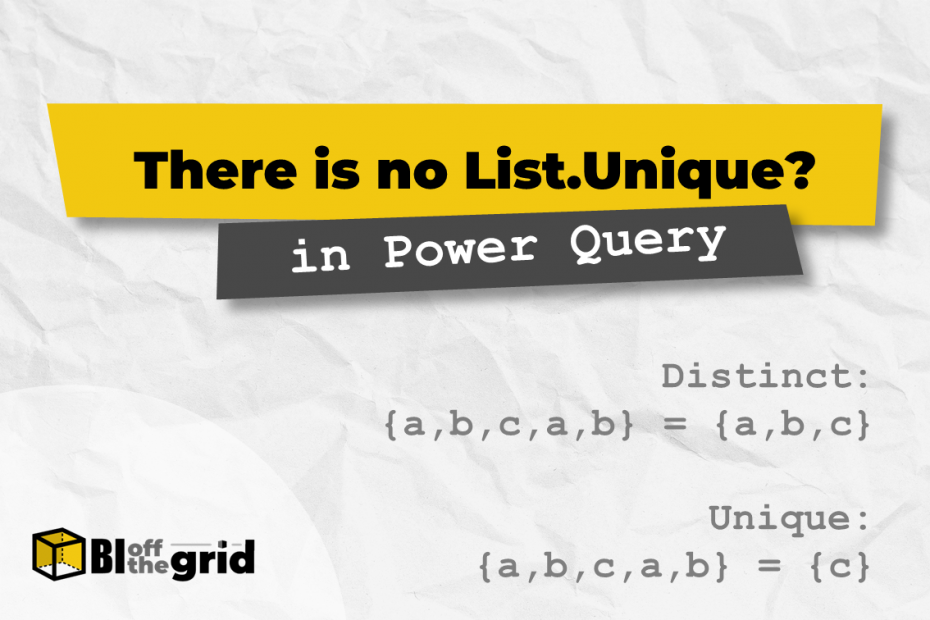
List.Unique in Power Query

List.Unique is missing: 2 easy to use alternatives

With all the functions in Power Query (over 700), it’s hard to believe there are any missing. However, there is no function for List.Unique. I know what the clever ones amongst you will say… “It’s called List.Distinct”. The thing is, unique and distinct are not…

List.Distinct Featured Image

List.Distinct in Power Query: 11 Examples

In this post, we look at the List.Distinct Power Query M function. It is a selection function that returns a distinct list of items based on a list supplied. Along with detailed notes, there are 11 examples to show how to use the function in…

List.NonNullCount

List.NonNullCount in Power Query: 10 examples

In this post, we look at the List.NonNullCount Power Query M function. It is an aggregation function that counts the number of non-null items in a list. Along with detailed notes, there are 10 examples to show how to use the function in different contexts.…

List.Count Featured Image

List.Count in Power Query: 10 examples

In this post, we look at the List.Count Power Query M function. It is an aggregation function that counts the number of items in a list. Along with detailed notes, there are 10 examples to show how to use the function in different contexts. Table…

Auto Rename Columns - featured image

Easy way to auto rename columns in Power Query

OK, let’s face facts. A lot of data exported from IT systems contain column names intended to be computer-readable, but only partially human-readable. As a result, column names are often in camel case or filled with underscores. We want fully human-readable column names in the…

Change data source in Power BI

5 easy ways to change data source in Power BI

Many like to build Power BI solutions in a development environment with lower data quantities. This means you can develop faster. But anybody who follows this method will soon come to an obvious question when they want to use live data: “how to change data…